
INNOWORKS Unity Cloud Assets Demo
What did I do?
I served as the primary engineer for this demo after leaving Unity. The project was originally made for desktop and was later ported to WebGL.
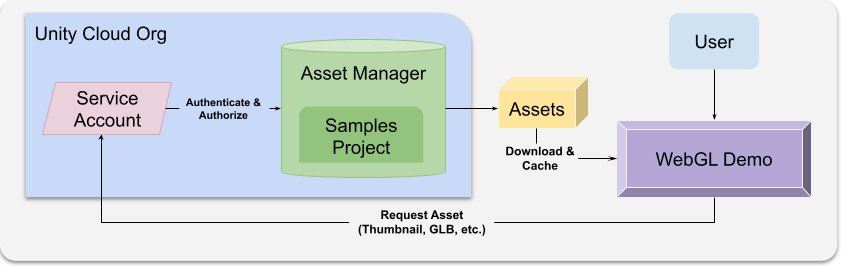
The goal was to demonstrate how Unity Cloud Asset Manager content could be discovered, downloaded, loaded, and used inside an interactive Unity application. The demo needed to be public, which created an interesting constraint: Users should be able to see the workflow without needing to log into Unity Cloud or have their own 3D data already stored there.
To support that, I implemented a service account authorizer that let the demo access prepared content safely for showcase purposes.
Showing cloud asset workflows without user login
The main technical problem was authentication and content access. A normal user-login flow would not be ideal for a public demo because it adds friction and depends on each visitor having the right account and data.
The service account approach allowed us to showcase the core workflow directly: discover assets, download content, load it, and place it into the scene.
This made the demo easier to understand. Instead of spending the first part of the experience on account setup, users could immediately see what cloud-managed 3D assets could do inside a Unity runtime.
UI, placement, and interaction modes
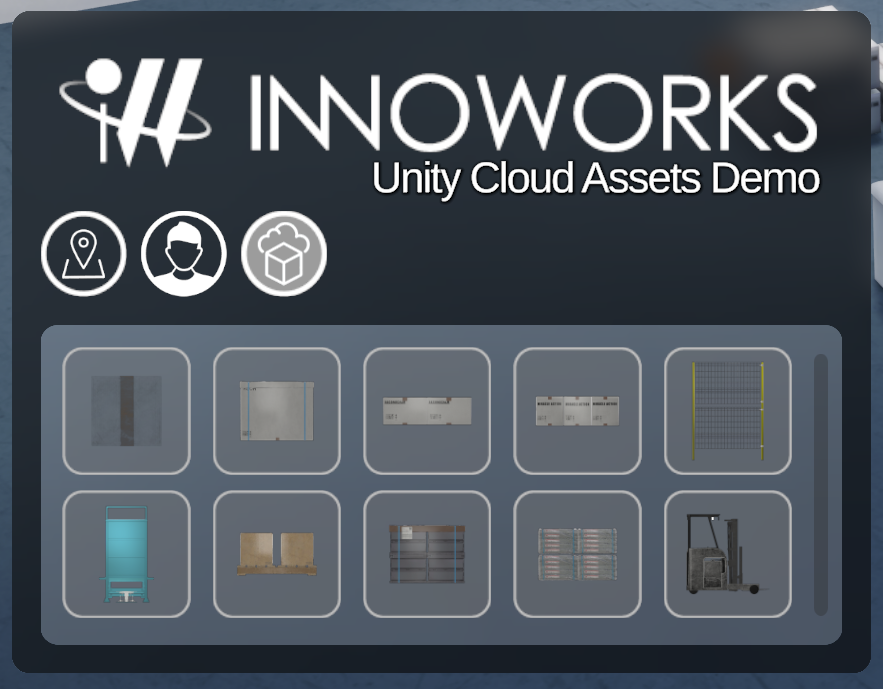
I implemented the UI features for the demo, including a resizable grid view for placeable assets. The grid made it easier to browse available assets and choose what to place into the scene.
I also implemented multiple interaction options:
point-and-click movement
click-and-drag movement
joystick-style movement
These interaction modes made the demo easier to use depending on the target platform and user preference.
WebGL-compatible caching
Because this project used an early Unity Cloud Assets package, I had to work around a caching issue. At the time, downloaded asset request URLs included unique tokens, which meant the out-of-the-box caching behavior did not recognize the same asset reliably.
I implemented a WebGL-compatible IndexedDB-based caching system that generated keys for downloaded assets and loaded them from cache instead of downloading them again unnecessarily.
This was a practical example of solving around platform and package limitations. The demo needed to feel smooth, and repeated downloads would have hurt the experience.
Multiplayer object instantiation
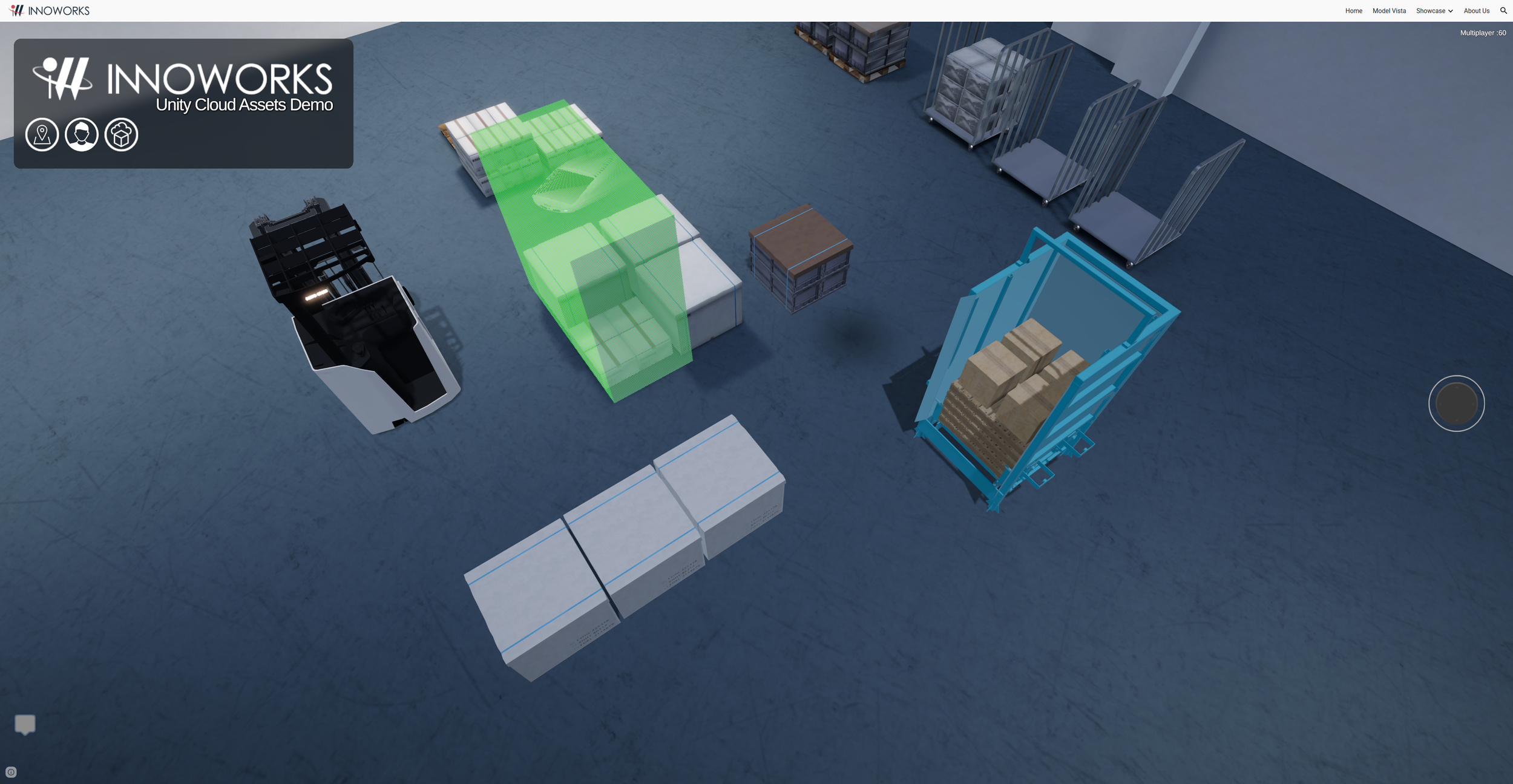
I also implemented NGO-based multiplayer features for object instantiation. This allowed placed objects to exist in a shared session rather than only locally.
For a demo about cloud content and real-time 3D workflows, this helped show how downloaded assets could become part of an interactive shared space.
What this project shows
Unity Cloud Asset Manager integration.
Service account authorization.
WebGL constraints and caching.
Runtime GLB/content loading workflows.
UI design and implementation.
Multiplayer object spawning with NGO.
Ownership as the primary engineer for a public demo.
Public references
INNOWORKS demos page: https://www.inno-works.com/demos#h.m2tscls7j3ab