
Honda X-HUB
What did I do?
Honda X-Hub was a Unity-based toolset for helping designers create interactive presentations and design experiences. My work covered both Unity Editor tooling and runtime features, but the strongest part of my contribution was editor tooling.
I worked on many parts of the project: bug fixes, custom inspectors, gizmos, runtime interaction components, vehicle-related tools, LiDAR-like sensor simulation, traffic lights, turntables, boat configuration, ocean wake VFX, and no-code variation workflows.
The common thread behind most of the work was the same: take systems that are technical by nature and make them easier for designers to configure without writing code.
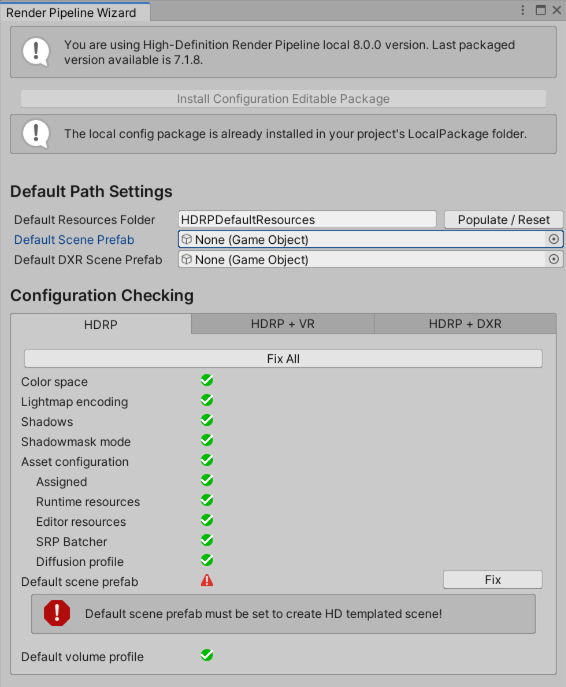
Unity Render Pipeline Wizard
Making complex features usable from the editor
A lot of the project was about authoring. Designers needed to create interactive scenes, not just static renders. That meant systems like vehicles, tracks, sensors, object variants, and traffic lights needed to be configured visually inside Unity.
One of the tools I built was an X-Hub Project Wizard, similar in concept to the HDRP Wizard. It validated the project structure, checked that the setup was correct for X-Hub, and provided one-button fixes when possible.
This kind of tool is not flashy, but it is useful. It reduces setup mistakes, makes the project easier to maintain, and gives users more confidence when opening or configuring a complex Unity project.
Vehicle, scene, and sensor tooling
I worked on the vehicle controller, track system, and related editor tools. This included bug fixes, gizmo visualization, and upgrades to the vehicle controller inspector so that it could support a tab system and more compact customization options.
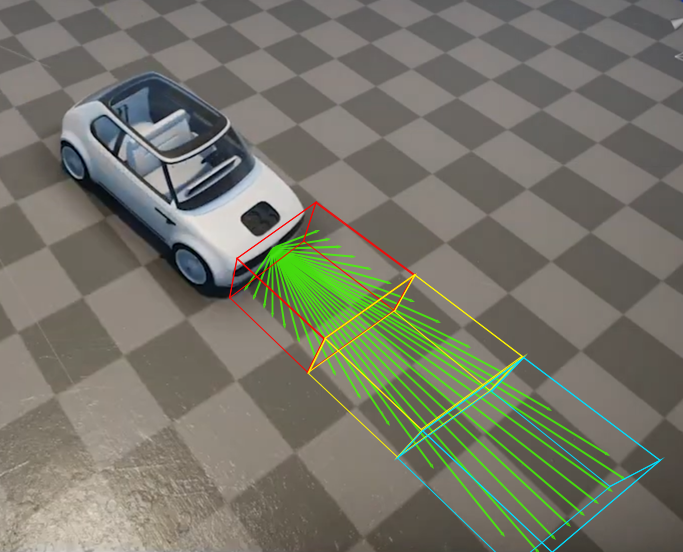
Recreated Visual Representation. Not the actual tool.
I also worked on a no-code variation configuration system. Users could select and cache meshes or GameObjects inside toggleable components, making it possible to set up and preview multiple versions of the same vehicle directly in the scene and inspector.
For sensor-style interactions, I built a raycast-based LiDAR component that simulated rotating beams for sensing obstacles. I added cuboid gizmos so the sensor volume could be configured and chained in the scene or from the inspector.
Interactive presentation features
Some of the work was more runtime-facing. I worked on a collider-based traffic light system for vehicles and pedestrians, including a traffic light shader that adjusted brightness and exposure for nighttime scenes.
I also worked on a no-code variation configuration system. Users could select and cache meshes or GameObjects inside toggleable components, making it possible to set up and preview multiple versions of the same vehicle directly in the scene and inspector.
For sensor-style interactions, I built a raycast-based LiDAR component that simulated rotating beams for sensing obstacles. I added cuboid gizmos so the sensor volume could be configured and chained in the scene or from the inspector.
What this project shows
This is one of the projects that best shows my Unity tooling background. The work was not only about writing runtime code. It was about building editor workflows that let designers create complex, interactive demos by themselves.